










Apple released a “revolutionary” new call screening feature that puts a protective layer between you and callers. The new iOS 26 has got the industry talking, and it’s not all positive. The update, available to all 1.56 billion active iPhone users globally (SQ Magazine), is raising some eyebrows as to whether the feature will make it more difficult to reach respondents. In terms of safety, that sounds positive, but will scammers be able to bypass the screening feature and continue to plague our lives? Read on to find out.
What is Apple’s New iOS Call Screening Feature?
Released on December 12, 2025, iOS 26 might not be Apple’s biggest update, but it is one that could potentially bring some of the most helpful updates we’ve ever had.
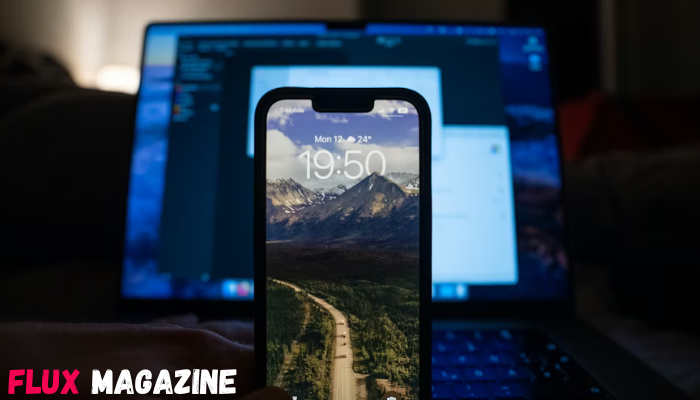
Most of the updates are relatively trivial, they’ve introduced a glass slider on the lock screen that allows you to customise how the time appears, and if a reminder pops up on your phone, you now have the option to snooze it or slide across to stop it.
But the update everyone is talking about is the new iOS call screening feature. Spam calls are at the highest level in years. In the UK, the Q4 2024 Global Call Threat Report from Hiya found that people in the UK receive at least four spam calls per person each month, with the percentage of unknown calls that turn out to be spam reaching 32%.
Apple’s new feature is specifically designed to target nuisance calls, but will it be as effective as Apple claims? It should put a barrier between you and spam callers, essentially preventing them from actually getting through to your phone unless you allow them to.
How iOS Call Screening is Designed to Stop Spam Calls
Before the update, anyone could ring your phone. With the update, anyone with an iPhone 11 or newer who’s downloaded iOS 26 can enjoy some peace and quiet through the automated Siri voice answer that’s automatically activated when an unknown caller rings.
Siri will ask for their name and why they’re calling you, and you’ll get to see what they say on a live transcript on your phone so you can accept or decline the call based on what they’re saying. You also have the option to reply with automated text responses.
So, essentially, your phone will never ring, but you will see the following options appear:
- Ask Reason for Calling
- Silence
- Or let it ring as normal
That design is how the new iOS 26 update will stop spam calls. You get to decide which unknown caller you answer the phone to, and based on their response to the automated Siri voice system, you can block their number (if it appears as a number and not a no caller ID number).
How Spammers Still Get Through iOS Call Screening
It’s a nice idea from Apple, and it will no doubt stop some of the spam calls, but callers will 100% get through.
Spammers will likely still get through the iOS call screening by:
- Spoofing known numbers
- Leaving an automated message that sounds legitimate, like pretending to be the bank, the doctors, or someone you might want to talk to.
- Exploiting the fact that the feature doesn’t explicitly block calls, only asks for a reason, in any way they can.
The only spam call this will definitely work for is bot calls, where the voice on the other end is obviously a robot. But even then, we don’t think it will be long until
Why “No Caller ID” Calls Are Especially Hard to Block
Of the hundreds of millions of spam calls sent out daily, so many of them are “no caller ID”. Most of us are so used to getting them now that it feels almost normal, with that same Hiya report we mentioned stating 68% of people in the UK simply don’t answer when there’s no number displayed to avoid telemarketers and suspicious callers.
The issue is that there’s no specific number for your network provider to blacklist. And no caller IDs are specifically activated because the person on the other end wants to conceal their identity. It’s different from unknown callers, but both are difficult to block because there’s still no number displayed.
The table below shows you the difference between No Caller ID and Unknown Caller and how you can block the calls.
| Category | No Caller ID | Unknown Caller |
| What it means | Caller deliberately hides their phone number | Caller’s number exists but is not saved in contacts |
| How it appears on iPhone | Displays as No Caller ID | Displays as Unknown or a visible number |
| Is a number transmitted? | ❌ No number sent to iPhone | ✅ Number is transmitted |
| Can iPhone identify the caller? | ❌ Impossible | ⚠️ Sometimes via call databases |
| Can you block it individually? | ❌ No number to block | ✅ Yes, block the number |
| Works with Silence Unknown Callers | ❌ Still rings | ❌ Still rings |
| Can call-blocking apps stop it? | ❌ Often bypasses apps | ⚠️ Usually filtered |
| Typical use | Harassment, scams, spoofed calls | Telemarketing, robocalls |
| Primary risk | Repeat anonymous calls | Persistent spam from new numbers |
| Best iPhone blocking method | Do Not Disturb → allow contacts only | Silence Unknown Callers + block number |
| Why it’s harder to block | iPhone cannot filter a call without a number | Filtering works because a number exists |
What iOS Call Screening Does Not Protect You From
The call screening feature is an interesting concept, and one that will definitely do some good. The fear we have is that spam callers are more sophisticated than they’ve ever been. They will likely use spoof numbers to trick you into thinking it’s a relatively legitimate call.
It’s also off by default. To activate it: go to Settings > Phone, find the “Screen Unknown Callers” or “Call Filtering“, and select your preference: “Ask Reason for Calling” to hear a live transcript before answering, or “Silence” to send them straight to voicemail.
A test by Nook has also found that the call still goes through after 30 seconds if the caller doesn’t see the explanation in time. So, in reality, the new feature is only a buffer.
Why Your Phone Number Keeps Getting Targeted Despite Screening
The new iOS 26 feature also won’t protect you from the fact that your data is obviously compromised on some level – likely through your digital footprint. It’s easy to assume that if they’ve contacted you once, they’ll contact you again unless you remove your data from Google (or other search engines).
That’s why your device keeps getting targeted despite the screen. It’s likely that a data broker, for whatever reason, has access to your personal details and is selling them to third parties, the spam callers, to give you a never-ending barrage of at least monthly, if not weekly, or more likely daily, spam calls.
Data brokers managed to generate $298.26 billion in 2025 (Hide.me VPN), and it’s your data that’s making them the money.
You can use advanced data removal services such as Incogni to remove your personal data from the internet, and that will make the biggest difference. Apple’s new iOS 26 screening feature will only do so much to help – and realistically, it’s not going to be enough.
The feature is still exciting – perhaps it’s taking us in the right direction of finally blocking all spam calls. That said, there’s still a long way to go, and the new iOS 26 update definitely won’t stop you from getting spam calls altogether.
Frequently Asked Questions About iOS Call Screening and Spam
Can I use the new iOS 26 call screen feature now?
Yes, as long as you have an iPhone 11 or a newer model, the iOS 26 update is available. Once you’ve downloaded it, you’ll be able to activate the call screening feature.
How can I block spam calls?
You can block spam calls by going into your settings, going into Do Not Disturb, and blocking all calls unless they’re from known contacts. You can also silence unknown callers and block them. The only issue with that is some professionals use no caller ID, but they’re not spam.
Can I remove my data from spam caller directories?
Yes. If you use sophisticated data removal services that continuously request for your data to be removed, you can avoid being listed in spam caller directories.






Show Comments (0)